Binance chart pattern scanner: spot & futures alerts (2026)
A Binance chart pattern scanner watches supported Binance spot and USD-M futures markets for formations like flags, triangles, wedges, double tops, and head and shoulders. ChartScout does that in real time, sends the alert to Discord, Telegram, or your in-app inbox in under 20 seconds in most cases, and never asks for your Binance API keys.
I have traded on Binance since 2017, and the reason I built ChartScout was not that I needed another chart. Binance already gives you charts. The problem was coverage: watching BTCUSDT, ETHUSDT, and a few favorite alts is easy; watching supported Binance spot and futures markets across multiple timeframes is not.
This guide explains exactly what ChartScout scans on Binance, how private watcher alerts work, how to check ChartScout's public Binance Square activity before starting a trial, and where an automated scanner fits beside Binance, TradingView, and manual chart reading.
ChartScout on Binance at a glance
Who this Binance scanner is for
ChartScout is for traders who already understand basic chart reading and want faster discovery. It does not replace your judgment, your risk plan, or Binance as the place where you execute. It replaces the repetitive part: opening chart after chart just to find out whether anything is forming.
Good fit
- Binance spot or USD-M futures traders who scan multiple pairs.
- Day traders who need 5m, 15m, or 1h pattern alerts quickly.
- Swing traders who want alerts without living inside watchlists.
- Traders who still verify volume, trend, liquidity, and stop placement before entering.
Not a good fit
- Anyone looking for guaranteed signals or financial advice.
- Traders who want ChartScout to place orders automatically.
- People who want to connect Binance API keys to a trading bot.
- Beginners who plan to trade every alert without checking the chart.
The clean workflow is simple: let the scanner find the setup, then open the Binance chart and decide if the trade deserves your capital. Discovery is automated. Trading is still yours.
How the Binance pattern scanner works
ChartScout reads Binance public market data: candlesticks, symbols, volume, and market structure. There is no Binance account connection on your end, and the tool never touches your funds, your API keys, or your trading positions. It is a scanner, not a trading bot.
The scanner runs continuously across supported Binance spot and USD-M futures markets on the timeframes your plan unlocks. On each candle close, 23 independent detectors check price structure and indicator conditions. For triangles and wedges, the alert usually fires around 75 to 80 percent pattern maturity so you can inspect the setup before the breakout is already over. Reversal patterns like head and shoulders, double tops, double bottoms, and triple tops wait until the structure is complete, because early reversal calls create a lot of noise.
“The chartist can easily follow as many markets as desired, which is generally not true of his or her fundamental counterpart.”
John J. Murphy, Technical Analysis of the Financial Markets
Murphy wrote that in 1999. He was right then and he is still right. A scanner takes the same idea further: instead of one chartist checking markets one after another, the system checks the eligible markets continuously and only interrupts you when a defined pattern appears.
How to verify alerts before you pay
The strongest proof for a scanner is not a landing-page claim. It is seeing real scanner output and deciding whether the timing and pattern quality match your trading style. Your own ChartScout detections are private to your account, but ChartScout also publishes selected examples and product activity publicly on Binance Square and X so you can inspect the workflow before starting a trial.
60-second verification workflow
- Open the public Binance Square feed or @ChartScout_bot on X.
- Pick a recent post with the pair, timeframe, exchange, and pattern clearly shown.
- Open the same pair and timeframe on Binance or TradingView using Binance market data.
- Compare the post timestamp with the candle where the pattern was detected.
- Decide whether the pattern quality, timing, and follow-through match how you trade.
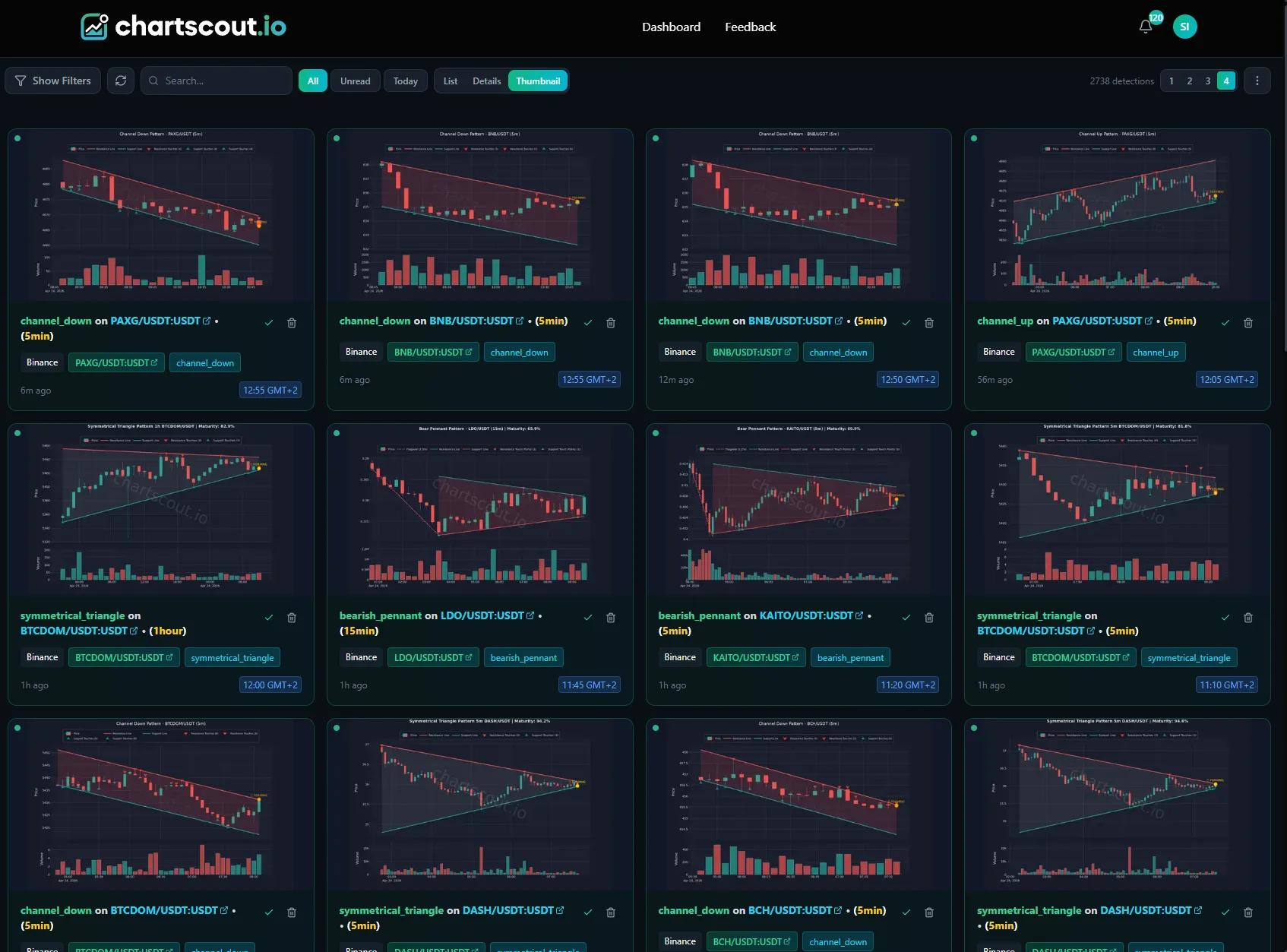
This also sets the right expectation: ChartScout helps you find setups earlier, but you still reject weak alerts. Low liquidity, messy wicks, news-driven candles, and fake breakouts still need a human filter.
23 detectors detected on Binance
ChartScout detects all 23 of its supported detectors on Binance pairs. Success rates below come from Thomas Bulkowski's updated stock-market research at thepatternsite.com. Crypto markets trade 24/7 and carry higher volatility, so real-world outcomes on Binance pairs can differ. Treat these numbers as a relative reliability ranking, not a crypto prediction.
Reversal patterns
| Pattern | Bias | Bulkowski success rate |
|---|---|---|
| Head and shoulders | Bearish | 81% |
| Inverse head and shoulders | Bullish | 89% |
| Double top | Bearish | 83% |
| Double bottom | Bullish | 88% |
| Triple top | Bearish | Rarer |
| Triple bottom | Bullish | Rarer |
Continuation patterns
| Pattern | Bias | Bulkowski success rate |
|---|---|---|
| Bull flag | Bullish | 85% (tight) |
| Bear flag | Bearish | 55% break-even |
| Bullish pennant | Bullish | Continuation |
| Bearish pennant | Bearish | 43% downside |
| Ascending triangle | Bullish | 83% |
| Descending triangle | Bearish | 77% |
| Symmetrical triangle | Bilateral | ~75% |
Wedges, channels, and crossovers
| Pattern | Bias | Notes |
|---|---|---|
| Rising wedge | Bearish | Ranked 36/36 (worst) bearish in Bulkowski's data. Size small. |
| Falling wedge | Bullish | 74% |
| Broadening wedge | Bilateral | Volatility expansion |
| Ascending channel | Trend | Parallel upward trendlines |
| Descending channel | Trend | Parallel downward trendlines |
| Golden cross | Bullish | 50 SMA crosses above 200 SMA |
| Death cross | Bearish | 50 SMA crosses below 200 SMA |
Data notice
Success rates come from Bulkowski's stock-market research, not crypto. Until ChartScout publishes a crypto-native study, treat these numbers as a reliability ranking, not a precise probability on BTC/USDT.
Binance spot vs futures coverage
ChartScout scans both Binance spot and Binance USD-M perpetual futures. The distinction matters because volume and liquidity are not evenly split.
Binance futures (USD-M perps) are where the real volume lives. Most price discovery on BTCUSDT, ETHUSDT, and active altcoins happens on perps first, with deeper order books and tighter spreads than the spot book. Pattern setups on perps fill faster, break cleaner, and follow through more often, which is why I personally spend most of my screen time there.
Binance spot runs on thinner volume by comparison. Spot liquidity is useful for longer-timeframe swing work and for altcoins that simply do not have a perp listed, but on intraday charts the spot book is easier to push around and fakeouts are more common. The other thing that happens on low-liquidity spot pairs is empty or flat candles: stretches of price action with almost no prints. This shows up mostly on low timeframes like 1m and 3m, and rarely on higher timeframes, but it does happen. That is a real problem for any pattern detector, ours included. If there is no liquidity and no movement, there is no structure to fit, so detection quality drops until volume comes back. If a pair has both a spot and a perp listing, the perp is usually the cleaner read.
When you set up a watcher you choose the exchange, spot or futures market, pair, timeframe, and pattern. Basic covers Binance, Bybit, and Hyperliquid with 15 core chart patterns. The full Pro trial and Pro or higher add KuCoin, MEXC, and the complete 23-detector library.
How fast are Binance alerts?
Every paid plan and the full Pro trial include in-app, Discord, email, and Telegram delivery. Per-channel dispatch after detection is typically 1 to 3 seconds.
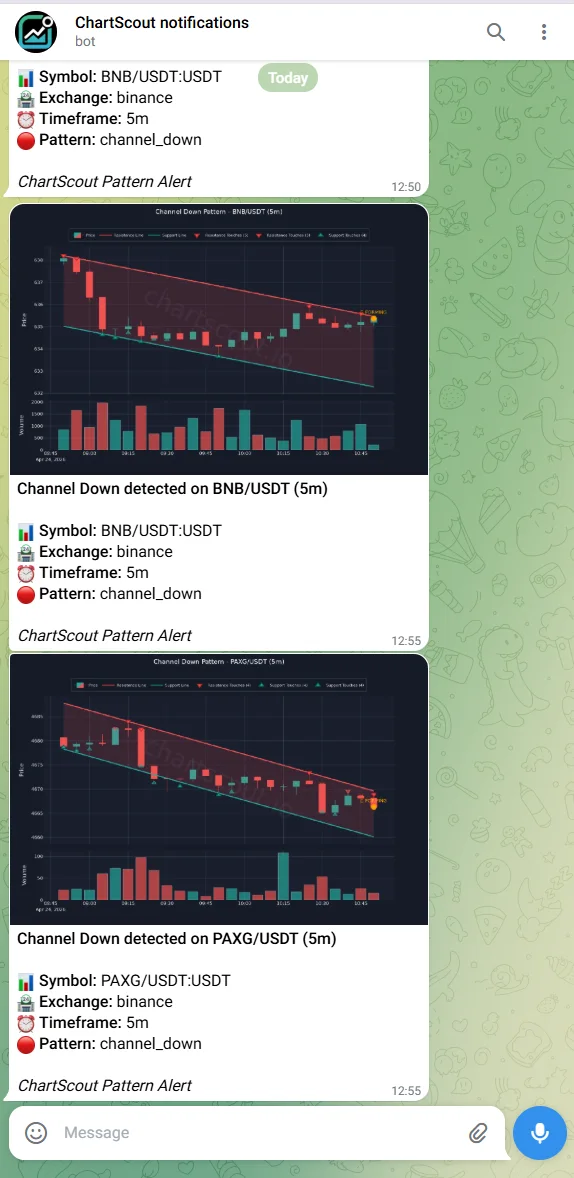
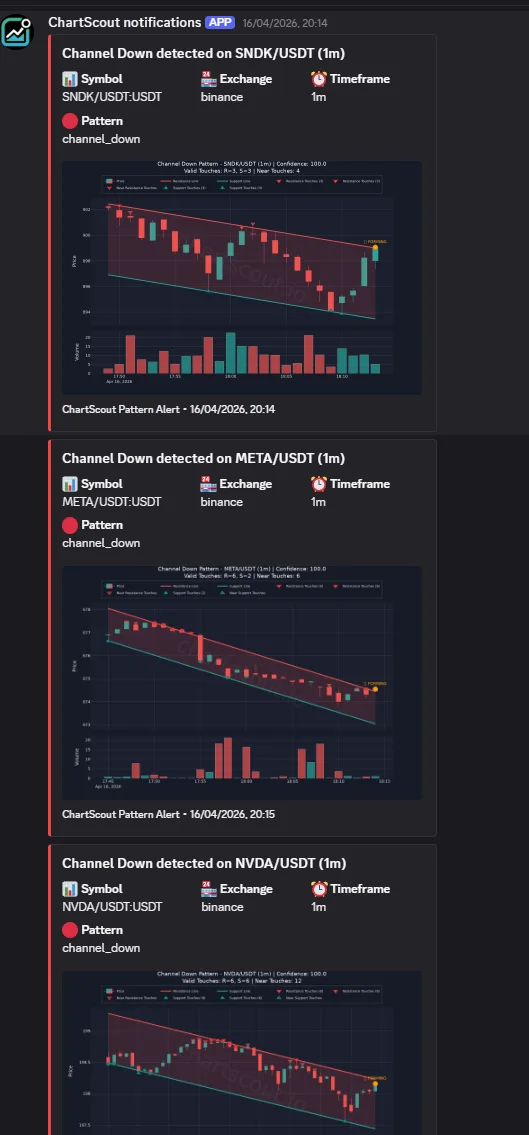
Alert delivery is private to your own watchers and channels. Public Binance Square and X activity is there to inspect the product and selected examples before starting a trial, but your personal Binance watcher alerts go only to your account, Discord, Telegram, email, or in-app inbox.
This is the real edge. The hard part of pattern trading has never been identifying patterns after the fact. It is identifying them early enough to do something about it. A 5m flag on a thin altcoin can complete its move in under 30 minutes. A 20-second alert versus a 2-minute delay is the difference between a planned entry and chasing a green candle.
How to set up your first Binance watcher
Setup takes under two minutes. No API key from Binance is required at any point.
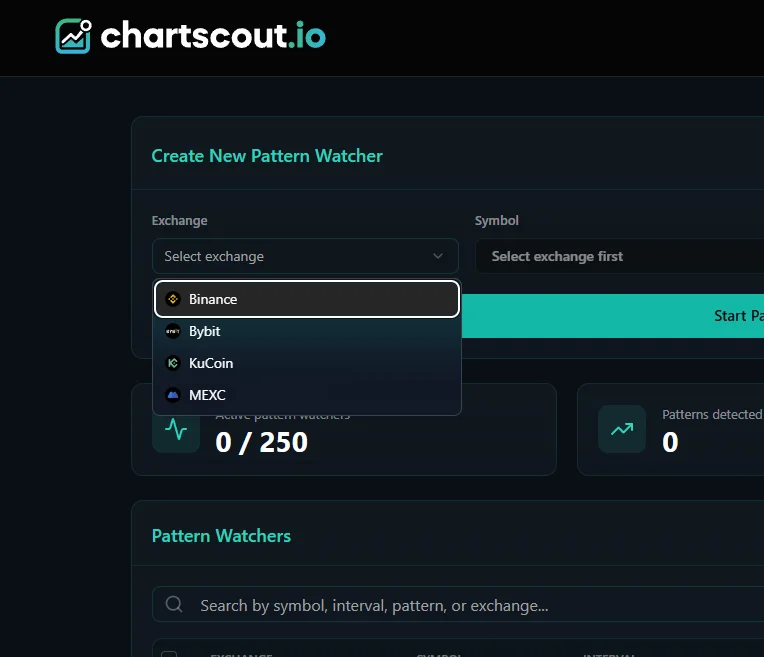
- Start the 7-day Pro trial. Sign up at chartscout.io/subscription. A card is required to start the trial and no charge is made until day 8. If the scanner is not for you, one click cancels before that.
- Connect an alert channel. Every paid plan and the full Pro trial can link Telegram and Discord and use in-app and email delivery.
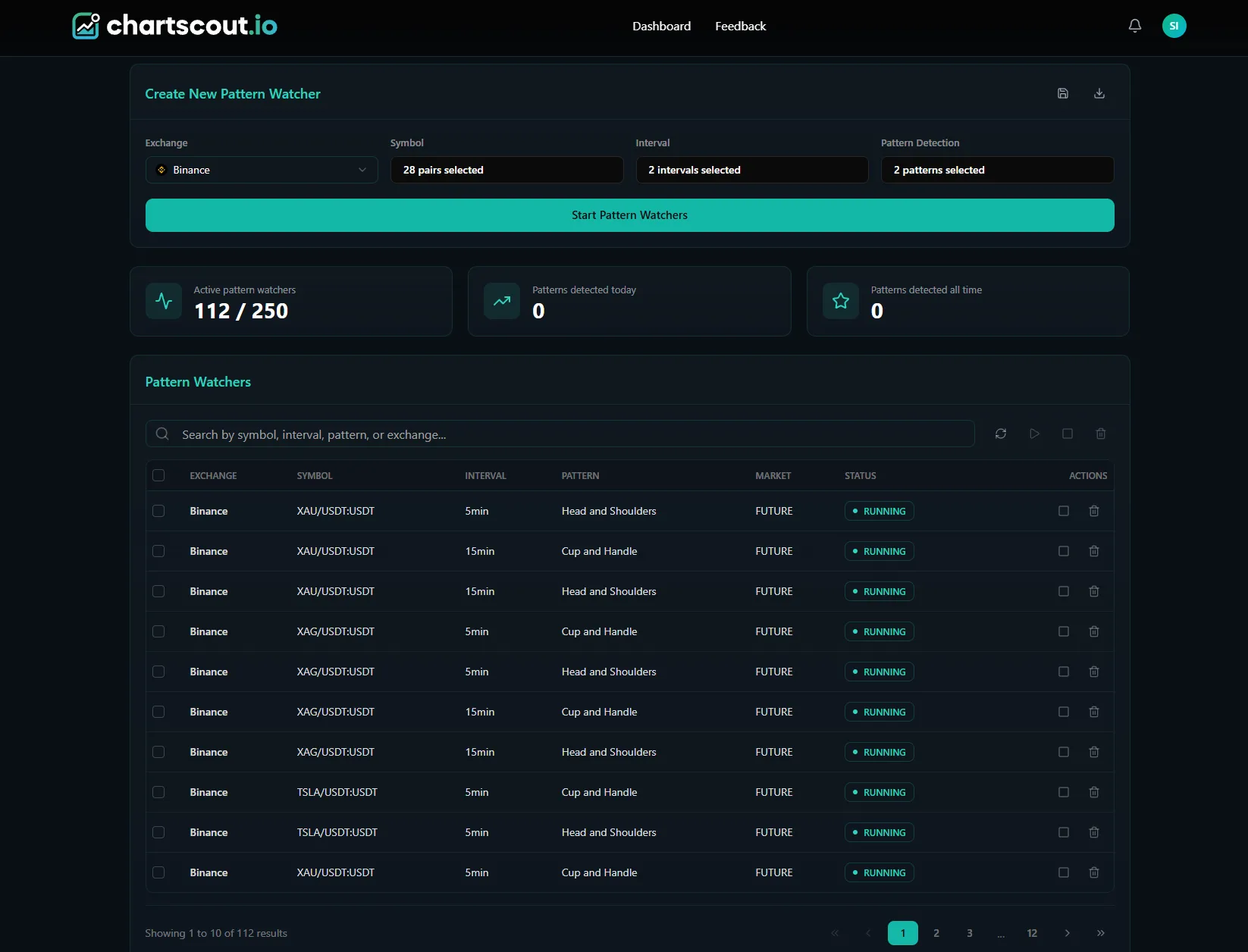
- Create a watcher. Choose pair (for example BTC/USDT), exchange (Binance), timeframe (for example 1h), and pattern (for example Bull Flag). One watcher = one pair + one timeframe + one pattern.
- Walk away. The scanner runs continuously. When your conditions match, the alert fires. You still decide whether to trade it. ChartScout never places orders. This is the core idea behind alert-driven trading: set the criteria once, live your life, act only when an alert actually matches.
The Pro plan gives 250 watchers across all five exchanges and all 23 detectors. Basic offers 100 watchers across Binance, Bybit, and Hyperliquid with 15 core chart patterns at 15m and higher timeframes. Pro also unlocks 5m coverage.
Live public detections
ChartScout maintains a public profile on Binance Square and posts selected examples on X. Your personal watcher alerts are not public; they are visible only inside your account and your connected alert channels.
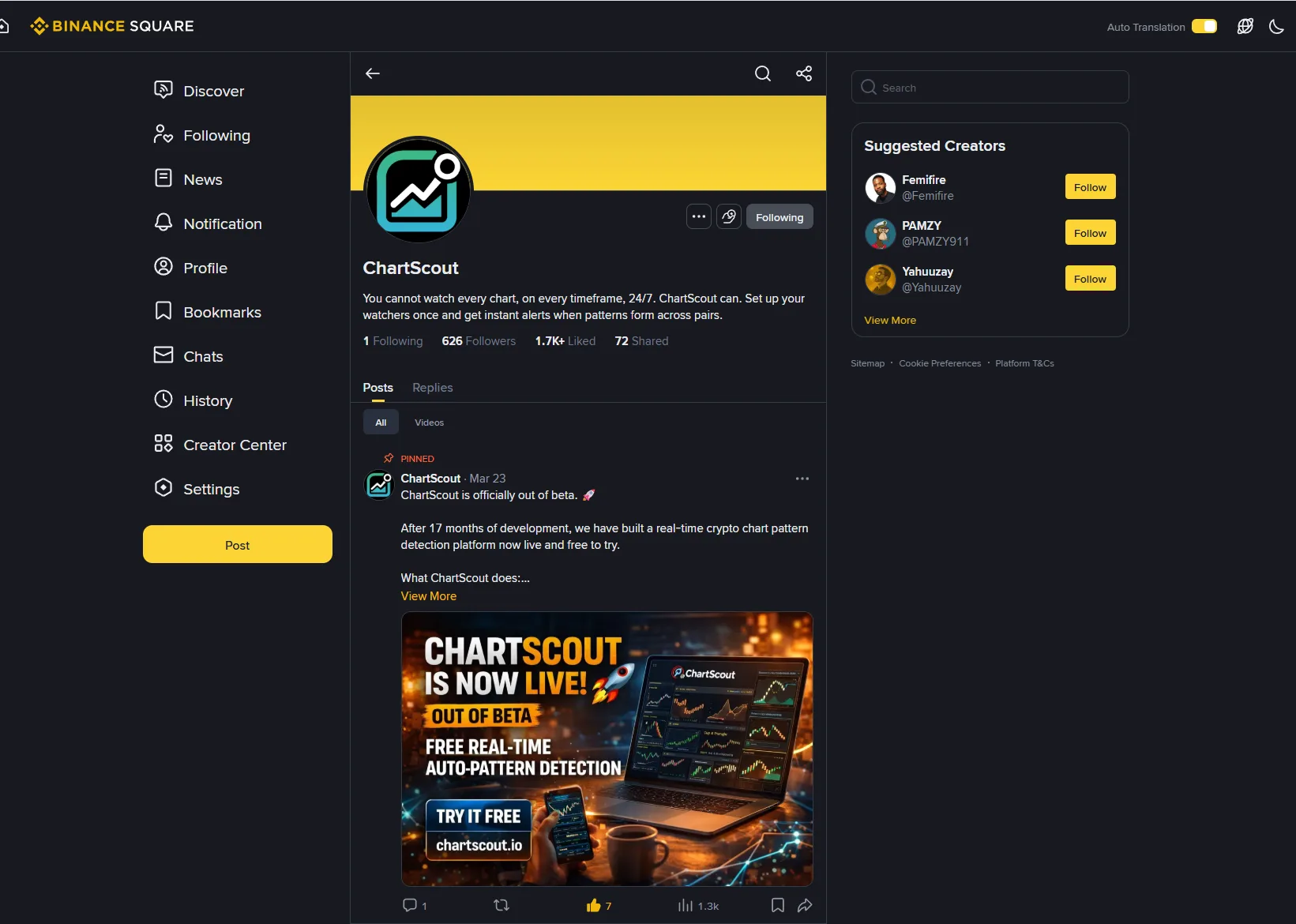
This is worth checking before you hand over a card. If the public examples and platform activity match the kind of pattern workflow you want, then your own watchers can run the same scanner logic privately on the Binance pairs, timeframes, and patterns you choose. If the workflow does not fit your trading style, nothing else I can write here matters.
I do not publish detection counts or engagement numbers here on purpose. Those numbers change day to day and are useless for your decision. What matters is going to the feed, opening three or four detections, pulling up the corresponding Binance chart, and judging for yourself.
Binance scanner vs charts, TradingView, and free tools
Each Binance pair page has a built-in chart, and those charts are solid for manual analysis. Multiple timeframes, drawing tools, a reasonable set of indicators. What they do not have is a chart pattern alert system. There is no “notify me when a bull flag forms on this 15m chart” button anywhere in Binance. That is not a Binance failing, it is just out of scope for an exchange UI. Exchanges are built to execute orders, not to surface pattern setups.
| Capability | ChartScout | Binance built-in charts |
|---|---|---|
| Chart pattern alerts | 23 detectors, automated | None |
| Multi-pair scanning | Supported spot + futures markets | One chart at a time |
| Push to Discord/Telegram | < 20 seconds, native | Not supported |
| Price level alerts | Not the focus | Yes (price crosses a level) |
| 24/7 autonomous coverage | Yes, runs while you sleep | Requires you to open the chart |
| Pattern maturity at alert | Fires before breakout on triangles/wedges | N/A |
Binance offers basic price alerts (“notify me when BTCUSDT crosses $72,000”) and those are useful for what they are. A price alert tells you a number was reached. A pattern alert tells you why that number might matter: a bull flag is completing on 15m with volume dry-up and a rising support line. One is a ping. The other is a thesis.
TradingView is excellent for charting, indicators, drawing tools, and custom Pine Script. But a typical TradingView alert still starts from a chart or a script you configure. If your problem is “watch this one BTCUSDT chart,” TradingView may be enough. If your problem is “tell me when any supported Binance market forms one of these 20 structures,” a dedicated scanner is the more direct tool.
Free scanners can be useful for casual discovery, but the tradeoff is usually coverage, alert speed, pattern depth, or auditability. For active Binance traders, the question is not just whether a tool says “pattern detected.” The question is whether it catches the market you trade, on the timeframe you need, early enough to inspect the chart before the move is gone.
The cleanest workflow I have seen from active day traders: keep Binance open for execution, run ChartScout in the background for detection, and when an alert fires, pull up the Binance chart to confirm the setup is not a fake breakout before sizing in with a planned stop. Reading volume around the pattern is what separates a good alert from a traded alert. The two tools are complementary, not competing.
Which plan covers Binance?
Every ChartScout plan includes Binance coverage. The differences are timeframes, watcher count, and which of the other four exchanges are unlocked.
| Plan | Price | Exchanges | Timeframes | Watchers |
|---|---|---|---|---|
| Basic | $19/mo | Binance, Bybit, Hyperliquid | 15m+ | 100 |
| Pro | $39/mo | All 5 | 5m+ | 250 |
| Enterprise | $69/mo | All 5 | 1m+ | 500 |
| Enterprise+ | $99/mo | All 5 | 1m+ | 1,000 |
Eligible new users can choose the 7-day Pro trial with full Pro access. A card is required and no charge is made until day 8. Basic, Enterprise, and Enterprise+ start as direct subscriptions. Yearly billing is available at a discount on every tier.
Scan Binance while you sleep.
23 detectors, supported Binance spot and futures markets, plan-based timeframes, alerts in under 20 seconds. No API keys.
Start 7-day trial→Card required to start. No charge until day 8. If it is not for you, one click cancels.
FAQ
Does Binance have a built-in chart pattern scanner?
No. Binance does not offer a native chart pattern scanner. The platform embeds TradingView charts, but pattern identification and alerting must be set up manually, one chart at a time. ChartScout scans supported Binance spot and USD-M futures markets automatically for 23 detectors.
Is ChartScout affiliated with Binance?
No. ChartScout has no partnership, affiliation, or business relationship with Binance. The scanner reads Binance public market data, the same feed available to any developer. No account connection or API keys are required.
Do I need to connect my Binance account?
No. ChartScout uses Binance public market data and never touches your Binance account. You do not provide API keys, login credentials, or any account access. Your funds and positions stay fully separate.
Which chart patterns does ChartScout detect on Binance?
All 23 ChartScout detectors: Ascending Triangle, Falling Wedge, Channel Up, Double Bottom, Bull Flag, Bull Pennant, Double Top, Descending Triangle, Channel Down, Rising Wedge, Bear Flag, Bear Pennant, Head and Shoulders, Inverse Head and Shoulders, Triple Bottom, Triple Top, Symmetrical Triangle, Cup and Handle, Inverse Cup and Handle, Crossover, TD Setup, TD Countdown, Falling Knife Reversal.
Does ChartScout scan Binance Futures pairs?
Yes. ChartScout scans both Binance spot and Binance USD-M perpetual futures. When you set up a watcher you choose spot or futures as part of the pair selection. Coverage depends on the market, listing availability, and timeframes your plan supports.
How many Binance pairs does ChartScout monitor?
ChartScout monitors supported Binance spot and USD-M futures markets available through Binance public market data, across the timeframes your plan supports. Coverage is updated as Binance listings change.
What timeframes can I scan on Binance?
Basic plan: 15m and higher. Pro plan: 5m and higher. Enterprise and Enterprise+: 1m and higher. Lower timeframes fire many more detections, so match timeframe to how actively you trade.
How fast do Binance pattern alerts arrive?
Under 20 seconds from detection to platform, email, Discord, or Telegram delivery in the majority of cases. Triangles and wedges can fire at roughly 75 to 80 percent maturity. Reversal patterns like head and shoulders, double tops, and double bottoms wait until the structure is fully formed.
Can I see ChartScout Binance detections before buying?
You can inspect ChartScout's public Binance Square profile and @ChartScout_bot on X before starting a trial. Your own watcher detections are private after signup and only visible to you through your account and connected alert channels.
Is there a free Binance chart pattern scanner?
You can manually scan Binance charts for free, and some tools offer limited free scanners. ChartScout is paid after the 7-day Pro trial because it continuously monitors supported Binance spot and futures markets and delivers private alerts from the watchers you configure.
Does ChartScout place trades on Binance?
No. ChartScout is an alert and discovery tool, not an execution bot. It does not connect to your Binance account, does not ask for API keys, and cannot place, modify, or close trades.
Can ChartScout scan only BTCUSDT or only USDT pairs?
Yes. You control the watchers. You can focus only on BTCUSDT, build a short list of major USDT pairs, or spread watchers across multiple Binance spot and futures markets depending on your plan limits.
Is ChartScout better for Binance spot or Binance futures?
It depends on your trading style. Binance USD-M futures usually have deeper intraday liquidity on major pairs, while spot can be better for longer-timeframe swing trading or assets without a futures listing. ChartScout supports both so you can choose the cleaner market for each setup.
Sources & references
Data source note: All pattern success rates in this guide come from Thomas Bulkowski's stock-market research at thepatternsite.com (updated 2020, 40,000+ perfect trades). Crypto pairs on Binance may behave differently. ChartScout's crypto-specific study is pending publication.
- Bulkowski, Thomas N. ThePatternSite.com - Chart Pattern Statistics. Updated 8/26/2020. thepatternsite.com.
Primary statistical source for every pattern success rate, failure rate, and ranking referenced in this guide. - Bulkowski, Thomas N. Encyclopedia of Chart Patterns, 3rd Edition. John Wiley & Sons, 2021. ISBN: 978-1119739685.
Canonical print reference. Performance rankings for reversal, continuation, wedge, and channel patterns. - Murphy, John J. Technical Analysis of the Financial Markets. New York Institute of Finance, 1999. ISBN: 978-0735200661.
Source for the quote on chart-based market coverage in the opening of “How the scanner works.” - Binance Developers. Spot Market Data Endpoints. developers.binance.com.
Reference for Binance spot kline/candlestick data, ticker data, and public market-data endpoints. - Binance Developers. USD-M Futures Exchange Information and Kline Candlestick Data. exchange info and kline data.
Reference for Binance USD-M futures symbols and candlestick market data. - ChartScout. Public detection feed on Binance Square. binance.com/en/square/profile/chartscout.
Timestamped live detections from the same scanner used by paying subscribers. Independently verifiable against Binance charts.
Related guides
How to scan crypto for chart patterns
Manual scanning, TradingView, Pine Script, and automated scanners compared.
Manual vs automated scanning
Where humans still win and where automation saves hours.
Alert-driven trading
Build a workflow around alerts instead of constant screen-watching.
How to spot fake breakouts
Use volume, retests, and context before acting on any alert.
Telegram crypto alerts
Connect Telegram and route crypto pattern alerts to your phone.
Discord crypto alerts
Set up Discord delivery for fast pattern alert workflows.

Stjepan Ivanović
Founder of ChartScout · Crypto Trader Since 2013
Trading crypto since 2013 with his first Bitcoin bought at ~$200. Four complete bull/bear market cycles, traded on early exchanges like Mt.Gox and BTC-e, on-chain trading on IDEX and EtherDelta, and ~70 crypto project investments. Built ChartScout after 2+ years of development to automate what no trader can do manually. Watch hundreds of charts 24/7.